 Veranda Think
What your clinic works with, every day.
Veranda Think keeps the calendar, client records, clinical notes, and payments together, and shows each person on your team only what their role requires.
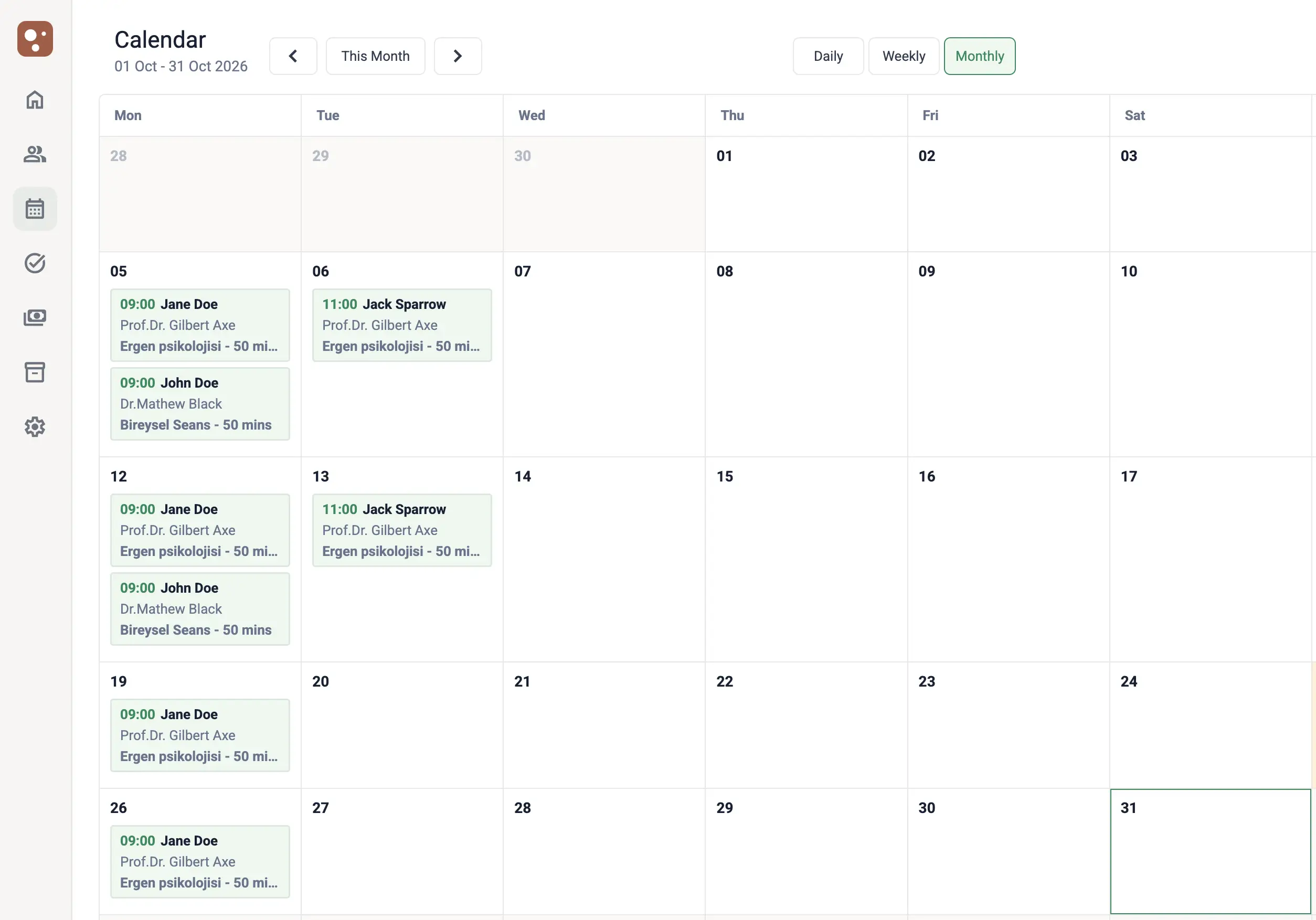
A schedule that protects itself from mistakes.
See the day, the week, or the month, for one specialist or the whole clinic. Think checks every booking before it is saved.
-
No double bookings Overlapping appointments and times outside a specialist’s working hours are rejected.
-
Recurring sessions Create a weekly, biweekly, or monthly series in one step. Every session in the series is checked.
-
In person or online Set the session type for each appointment and keep the meeting link you use on online sessions.
-
Statuses that tell the full story Separate completed sessions, no-shows, cancellations, late cancellations, and clinician cancellations.
Everything about a client, in one file.
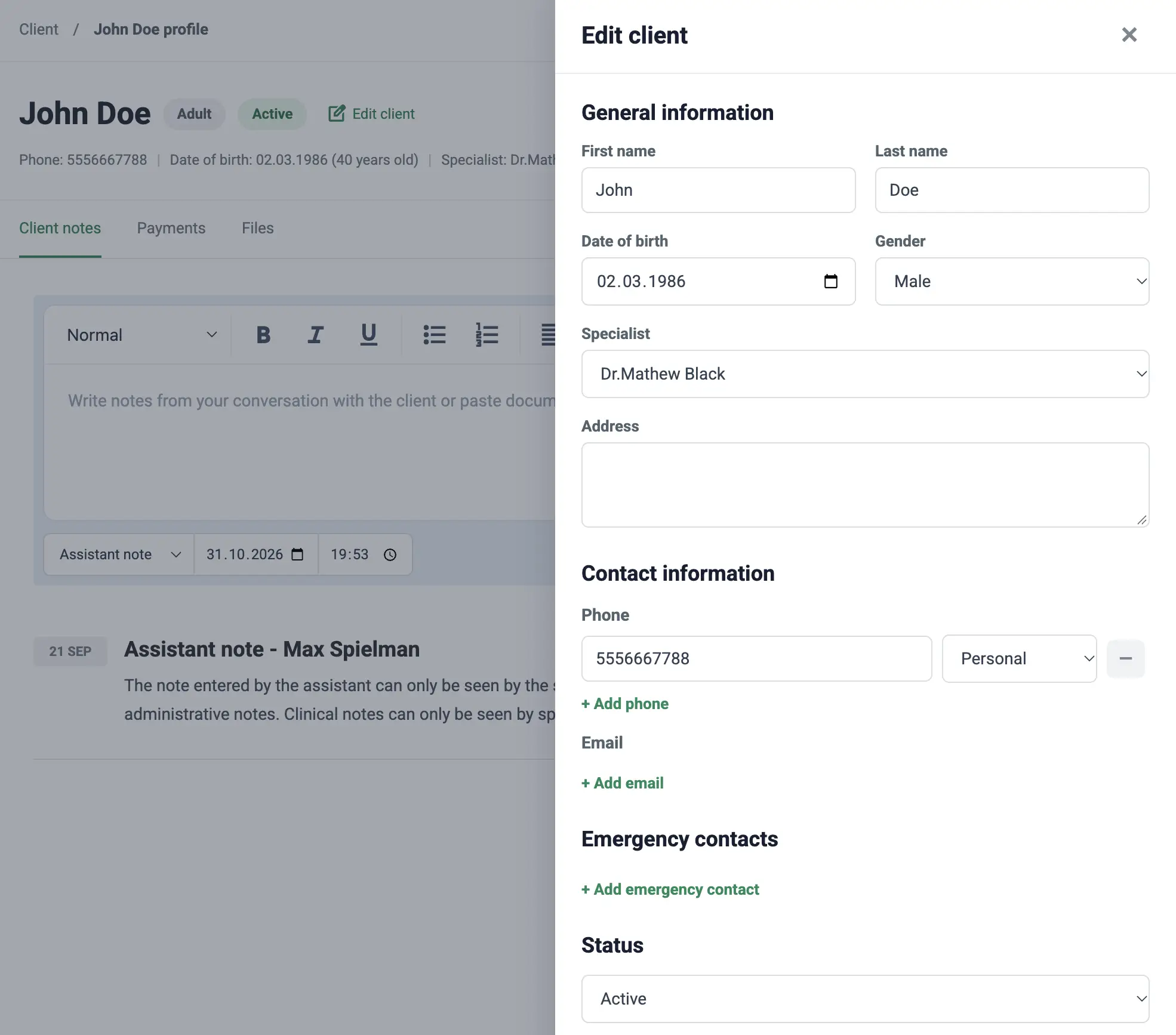
Find a client by searching, then move between their details, notes, files, and payments without leaving the profile.
-
Contact details and emergency contacts Store several phone numbers and email addresses, plus the people to call in an emergency.
-
Upcoming appointments See what is next for a client directly on their profile.
-
Assigned specialist Each client is linked to a specialist, and active and inactive clients stay separate.
-
Referral source Record how each client found your clinic.
Clinical records that stay confidential.
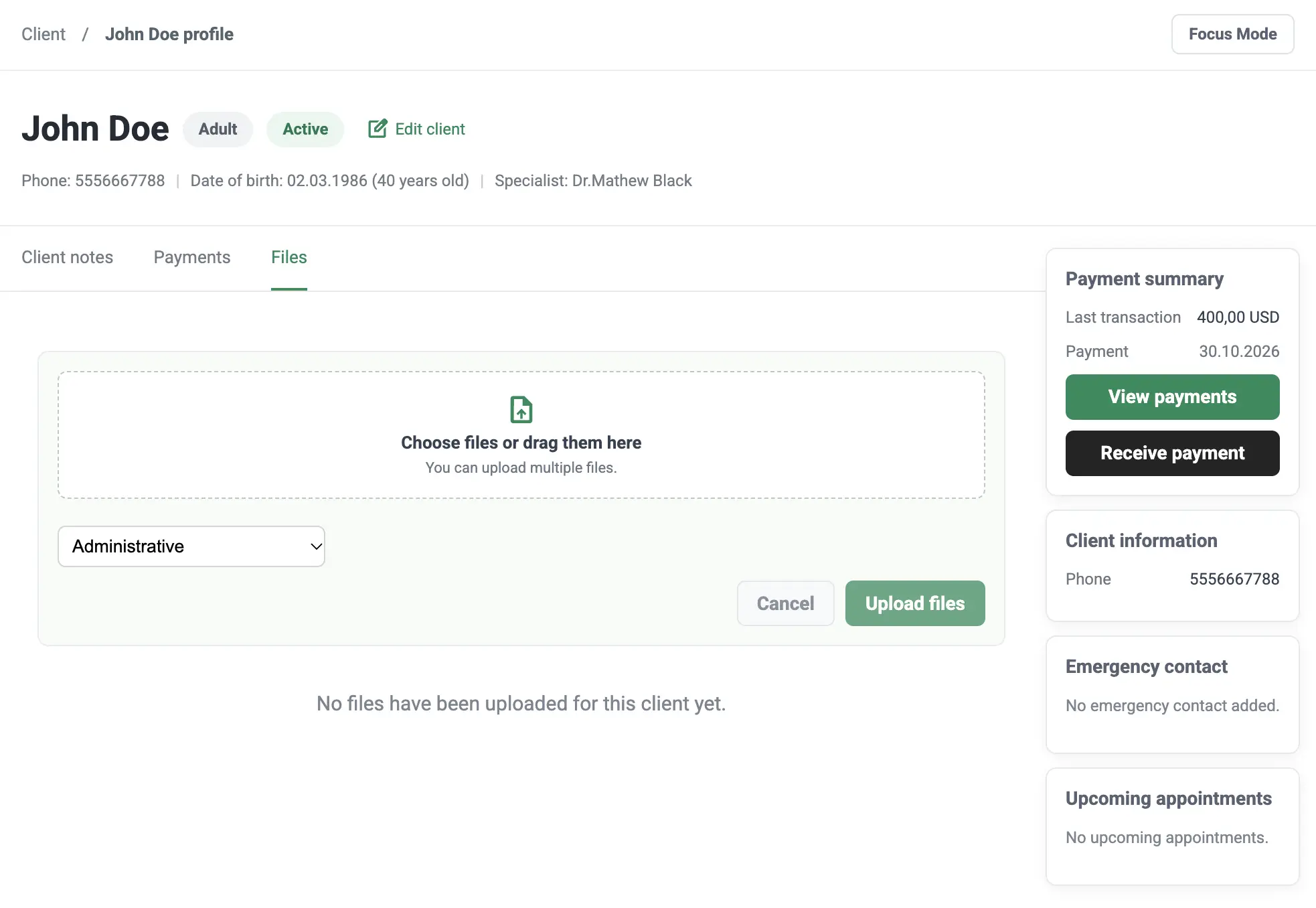
Session notes and uploaded files are encrypted when stored, and access depends on the role of the person opening them.
-
Three kinds of notes Keep session, assistant, and general notes apart. Assistants cannot read or write session notes.
-
Clinical and administrative files Label each file by type. Assistants work only with administrative files.
-
Drag-and-drop upload Upload up to 10 files at once, up to 50 MB each: PDF, Word, Excel, CSV, text, and images.
Built for clinics with more than one specialist.
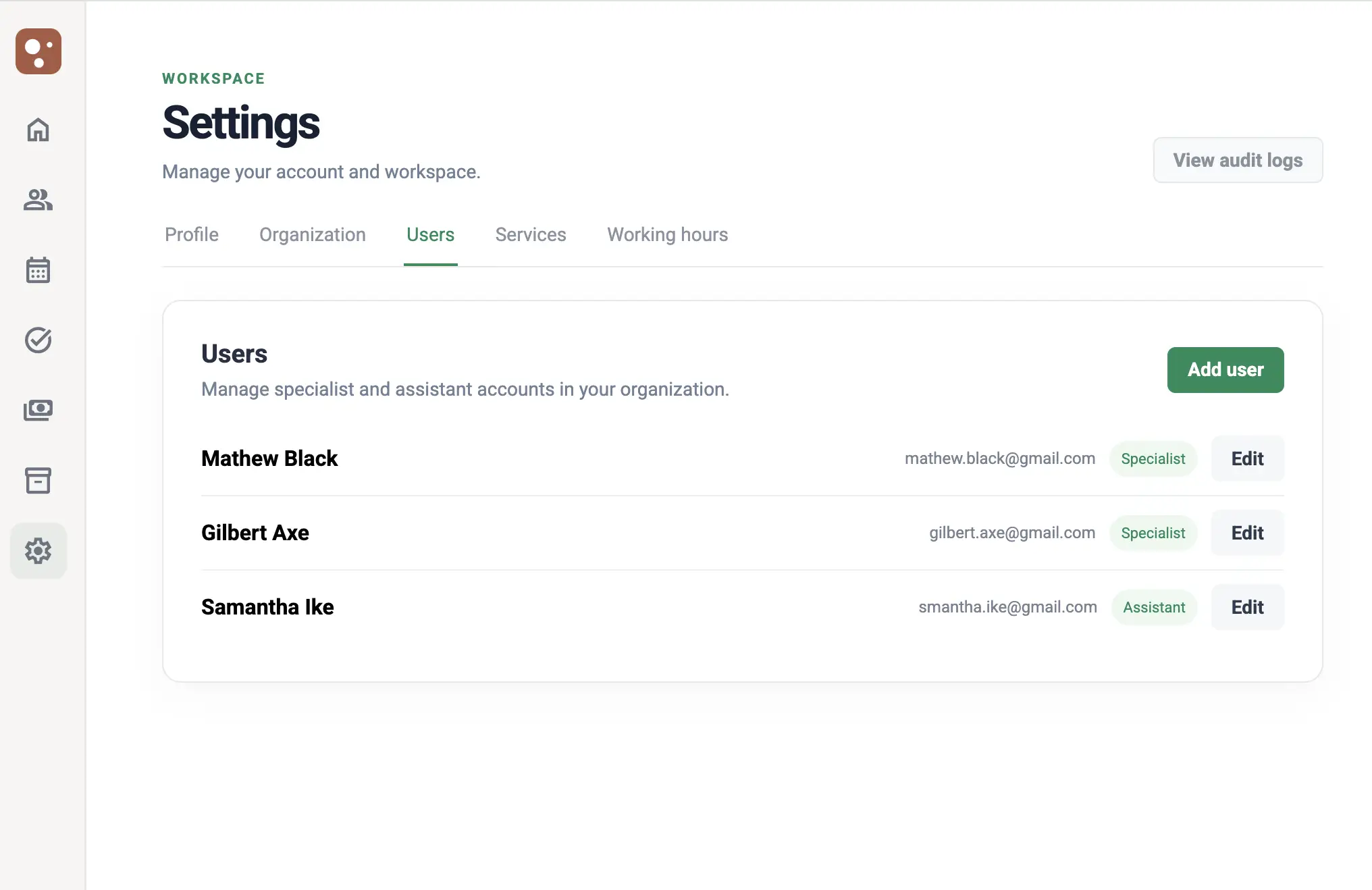
Works for a solo practice and for a team. Each specialist has their own settings, and each assistant has a clear scope.
-
Specialist and assistant roles The clinic owner manages users and clinic settings. Each person works within their own role.
-
Assistants linked to a specialist Link an assistant to one specialist, or let them support the whole clinic.
-
Services, fees, and hours per specialist Define which services each specialist offers, at what fee, and during which working hours.
-
Tasks and a daily overview Assign tasks with due dates, and start each day with today’s appointments and open tasks.
Know who has paid, without a spreadsheet.
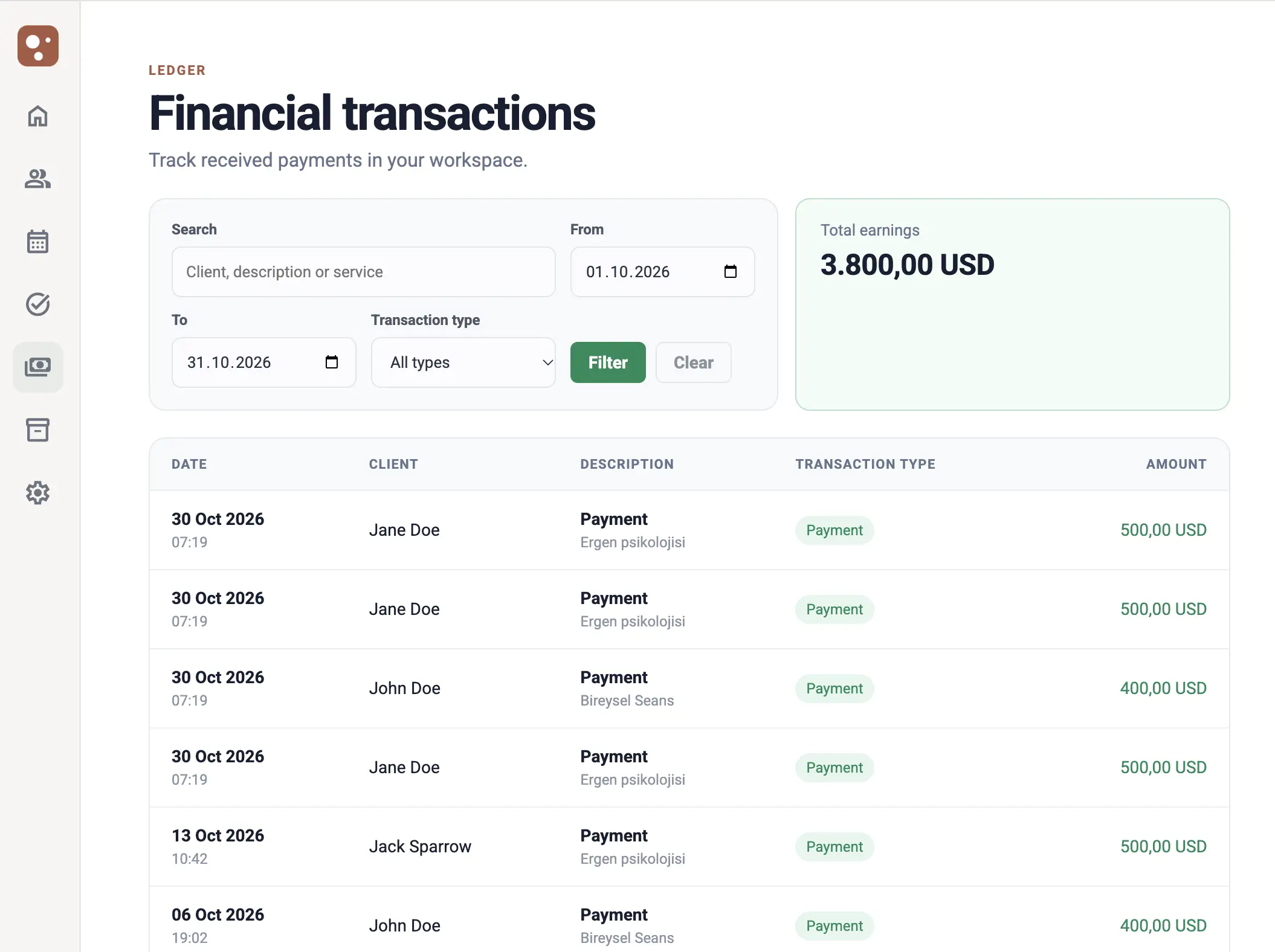
Record the payments you receive, connect them to appointments, and follow them in one ledger.
-
Payment records Record cash, card, bank transfer, and other payments, with or without a linked appointment.
-
A ledger you can filter Filter transactions by client, date, and type, and see each client’s payment summary on their profile.
-
Time-based packages Define packages lasting days, months, or years and assign them to clients. Appointments during the package are marked as covered.
A public profile for every specialist.
Give clients a place to learn about you. You decide what appears on your page.
-
Your own introduction Add your display name, photo, biography, and social media links.
-
Your services Your services appear on your profile, using the details you set in Think.
-
Control over what is visible Choose whether your calendar and email address are shown.
Privacy is part of how the product works.
Mental health records need more care than ordinary business data. These protections are built into daily use.
Encrypted notes and files
Session notes, client notes, appointment notes, and uploaded files are encrypted when stored.
Role-based access
Session notes and clinical files stay out of assistants’ view.
Audit log
Sign-ins and changes to clients, appointments, payments, and users are recorded for the clinic owner to review.
Record of sensitive access
Think records who viewed client notes and who opened client files.
Give your clinic room to breathe.
Set up appointments, client records, and accounting today. Most solo clinics are fully up and running within an afternoon.
No credit card required · Cancel anytime